
Guide · Displays · ESP32
OLED, TFT, E-Paper or Nextion? Picking an ESP screen
A screen changes a project from “blinking LED” to something you actually use. But the four common types pull in different directions — wires, colour, refresh rate, power and how much of your MCU they eat. Here’s which one fits which job.
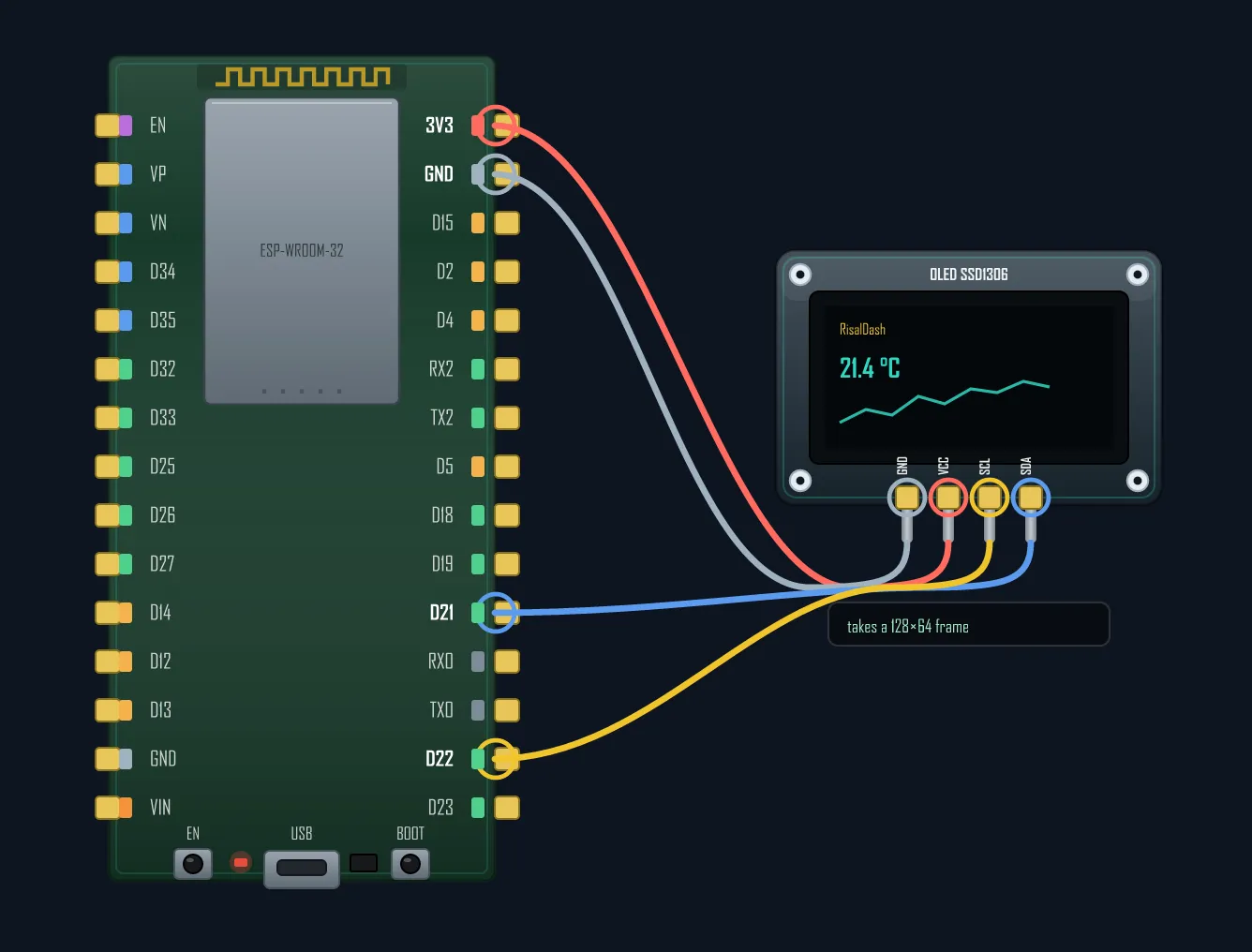
OLED 0.96" (SSD1306) — tiny, crisp, two wires
The classic monochrome OLED talks I²C — just two wires (SDA/SCL) — is high-contrast (real black, no backlight), and costs pocket change. 128×64 pixels is enough for a few lines of text or a small graph. Perfect for clocks, weather stations and status readouts. The limits: it’s small and mono, and cheap ones can burn-in if a static image sits for months.
TFT SPI 1.8–2.4" (ST7735 / ILI9341) — full colour, fast
A colour TFT over SPI gives you 65,000 colours and a fast enough refresh for real-time charts, menus and images. It’s the workhorse when you want a proper UI. Trade-offs: it needs more pins than I²C (SCK/MOSI/DC/CS/RST + backlight), a backlight burns power, and driving lots of pixels keeps the MCU busier. Many boards ship it built-in — the popular Cheap Yellow Display is an ESP32 + 2.8" ILI9341 + touch.
E-Paper (E-Ink) — draws power only when it changes
E-Paper is the battery champion: it uses current only when the image updates, then holds the picture for free — and it’s perfectly readable in direct sunlight. Ideal for shelf price tags, calendars, name badges and anything that changes rarely. The catch is refresh: a full update takes hundreds of milliseconds to seconds and often flashes, so it’s useless for animation or live data.
Nextion HMI — a smart screen that offloads the MCU
Nextion (and similar “smart” displays) flips the model: you design the whole UI — buttons, gauges, pages — in a drag-and-drop editor that runs on the display’s own processor. Your ESP just sends and receives short UART commands (“set field 2 to 24°C”). That frees your MCU’s RAM and CPU entirely, at the cost of a pricier module and a separate design tool to learn.
The 30-second decision
| Display | Bus | Best for | Colour | Refresh |
|---|---|---|---|---|
| OLED 0.96" | I²C | clocks, status, tiny UIs | mono | fast |
| TFT SPI | SPI | colour UIs, charts, images | 65k | fast |
| E-Paper | SPI | battery signage, rare updates | mono / few | slow |
| Nextion HMI | UART | rich touch UI, offloads MCU | full | fast |
Rule of thumb: a tiny readout on two wires → OLED; a colourful UI or charts → TFT; runs for months on a battery → E-Paper; a rich touch UI without burdening the MCU → Nextion. Whichever you pick, the wiring is the fiddly part — plan the pins before you solder, especially on all-in-one screen boards where the display already claims half the GPIOs.
Wiring a display — or a whole screen board? See which GPIOs are free before you solder.