
Fake sensors · Every widget
Build an ESP32 dashboard for 66 sensors — without owning a single one
RisalDash ships fake versions of 66 real sensors. Point a widget at one and it generates believable, moving data — so you can build and demo a full ESP32 / ESP8266 web dashboard, every widget live, with no hardware at all. Then swap in the real driver later, with your variable names unchanged.
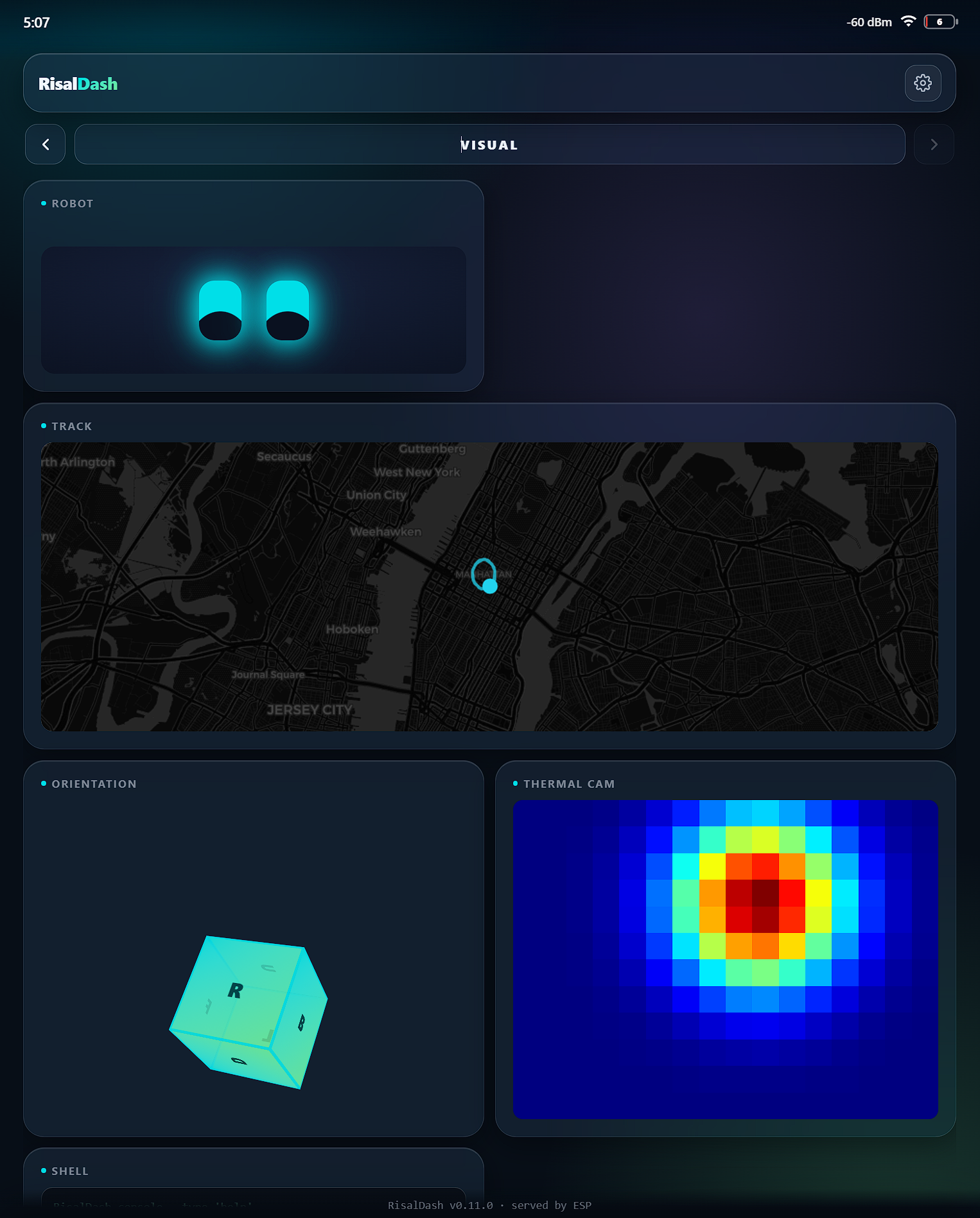
The slowest part of an IoT project is usually the shopping. You want to design the dashboard, but the BME280 is still in the mail. RisalDash flips that around: fake every sensor, build the whole UI today, and drop in the real module when it arrives. Nothing in the sketch changes but the one line that reads the hardware.
Fake a sensor in one line
Each RisalFake* bundle generates realistic, correlated data — temperature that
drifts, power that fluctuates, an IMU that tumbles:
#include <RisalDash.h>
#include <RisalFake.h>

RisalUI dash("Weather");
RisalFakeEnv env;   // fake BME280-style environment — no hardware

void setup() {
  dash.sensor("bme280", &temp, &hum, &pres).chart();  // preset -> the right widgets
  dash.beginAP("RisalDash-Demo", "12345678");
}
void loop() {
  env.update();
  temp = env.temperature(); hum = env.humidity(); pres = env.pressure();
  dash.update();
}
Twelve bundles cover the common shapes: environment, weather, power, air quality, IMU, GPS, BLE scan, battery/BMS, flow, weight, health and gas.
66 sensor presets
dash.sensor("id", …) expands a known sensor into the right readouts, units and
ranges — so a real build is one line, and the fake demo is the same line:
- Environment: BME280, BME680, BMP280/388, DHT11/22, DS18B20, SHT3x/4x, HTU21D, Si7021, AHT20
- CO₂ & air quality: SCD40/41, SEN55, SPS30, PMS5003, SDS011, SGP30/40/41, ENS160, CCS811, SFA30, MQ-2/7/9/135
- Power & energy: INA219/226, ACS712, PZEM-004T, HLW8012, CSE7766, Daly-style BMS
- Motion & IMU: MPU6050, MPU9250, BNO055, QMC5883L
- Distance, presence & radar: HC-SR04, VL53L0X/L1X, LD2410, LD2450
- Light & UV: BH1750, VEML7700, VEML6075, LTR390
- Weight & load: HX711, NAU7802
- Thermocouple & IR temp: MAX6675, MAX31855, MAX31865, MLX90614
- Water quality: pH, TDS, turbidity
- Health, sound & more: MAX30102 (HR/SpO₂), INMP441 mic, AS3935 lightning, flow / pulse / rpm
Every widget, on one board
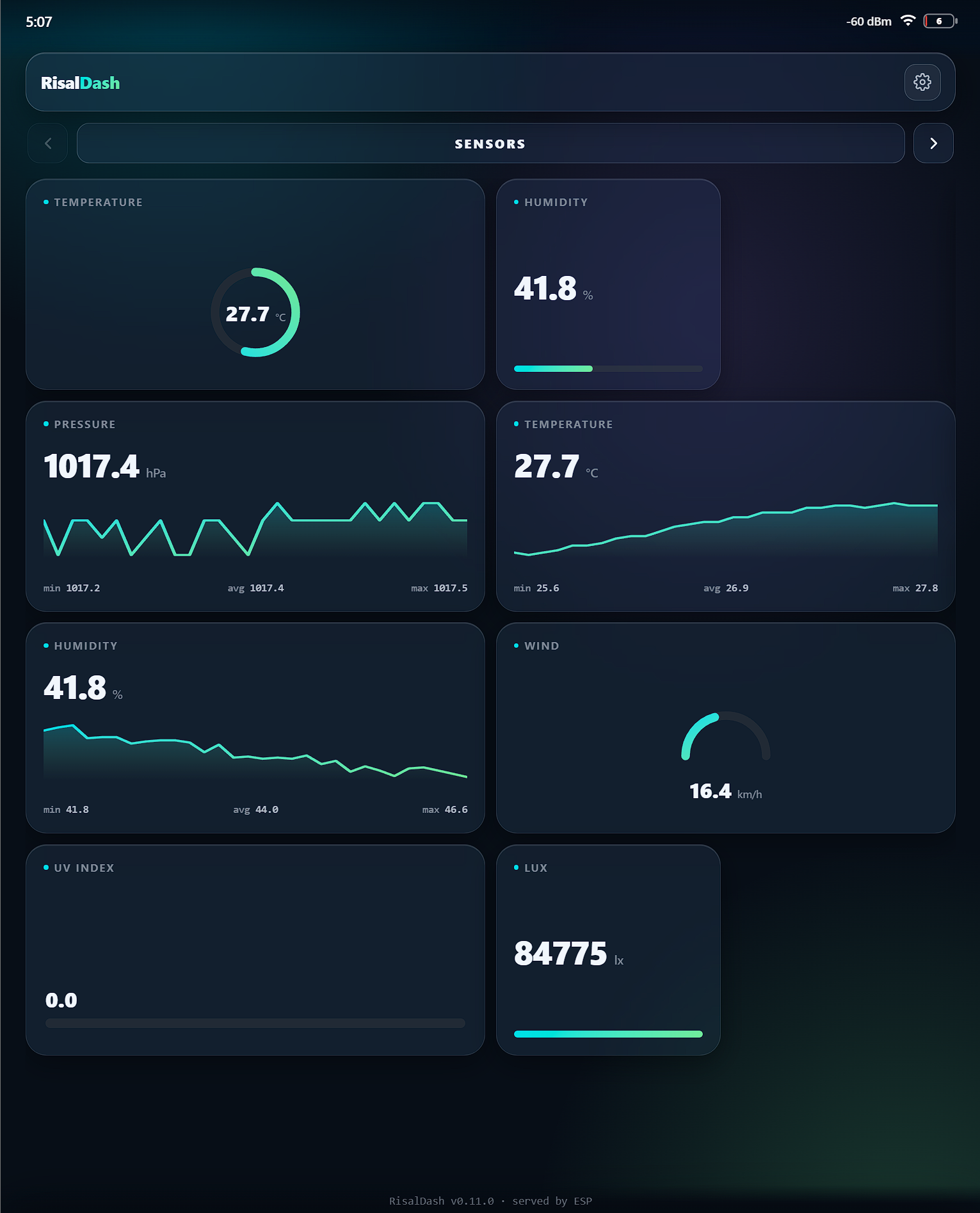
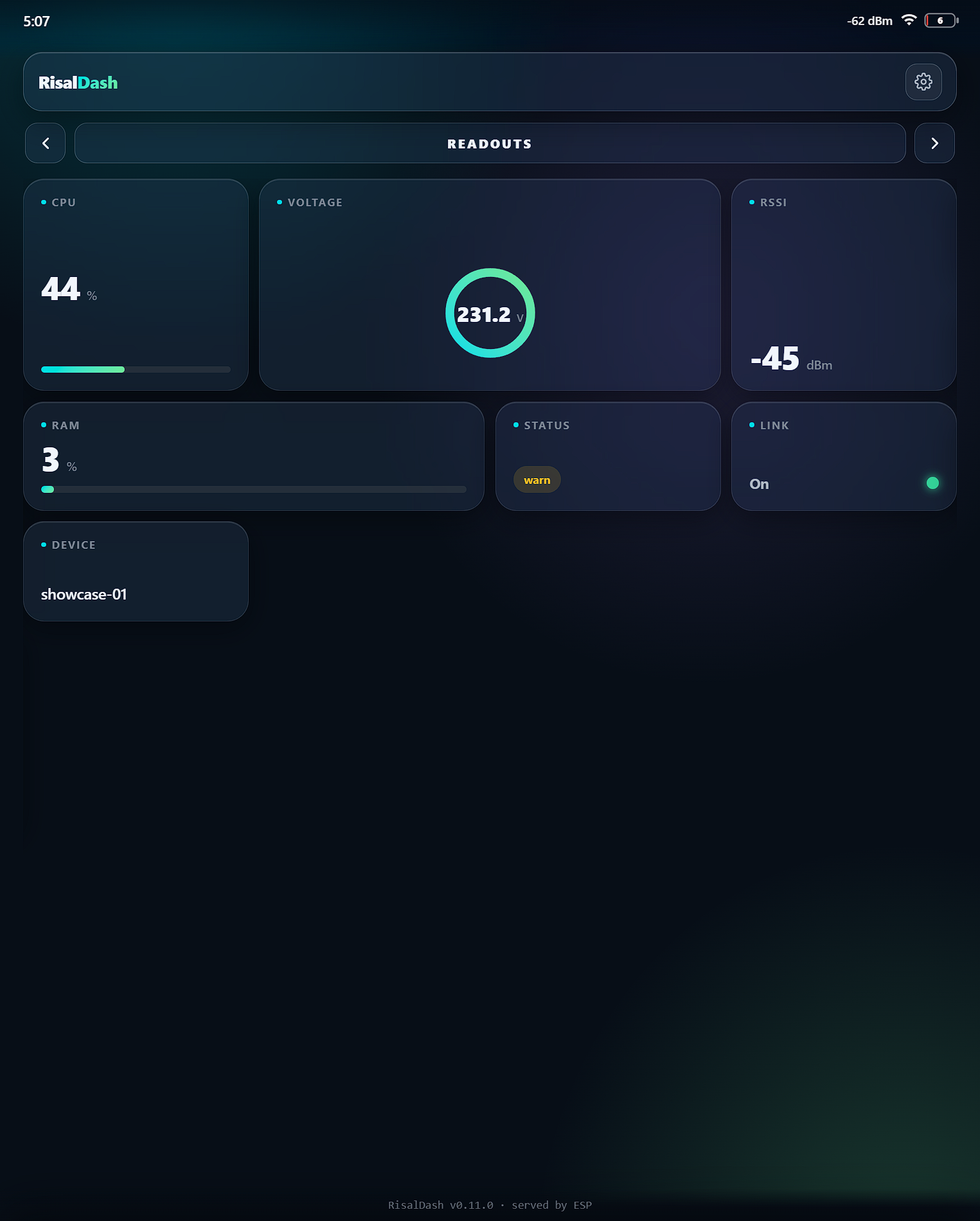
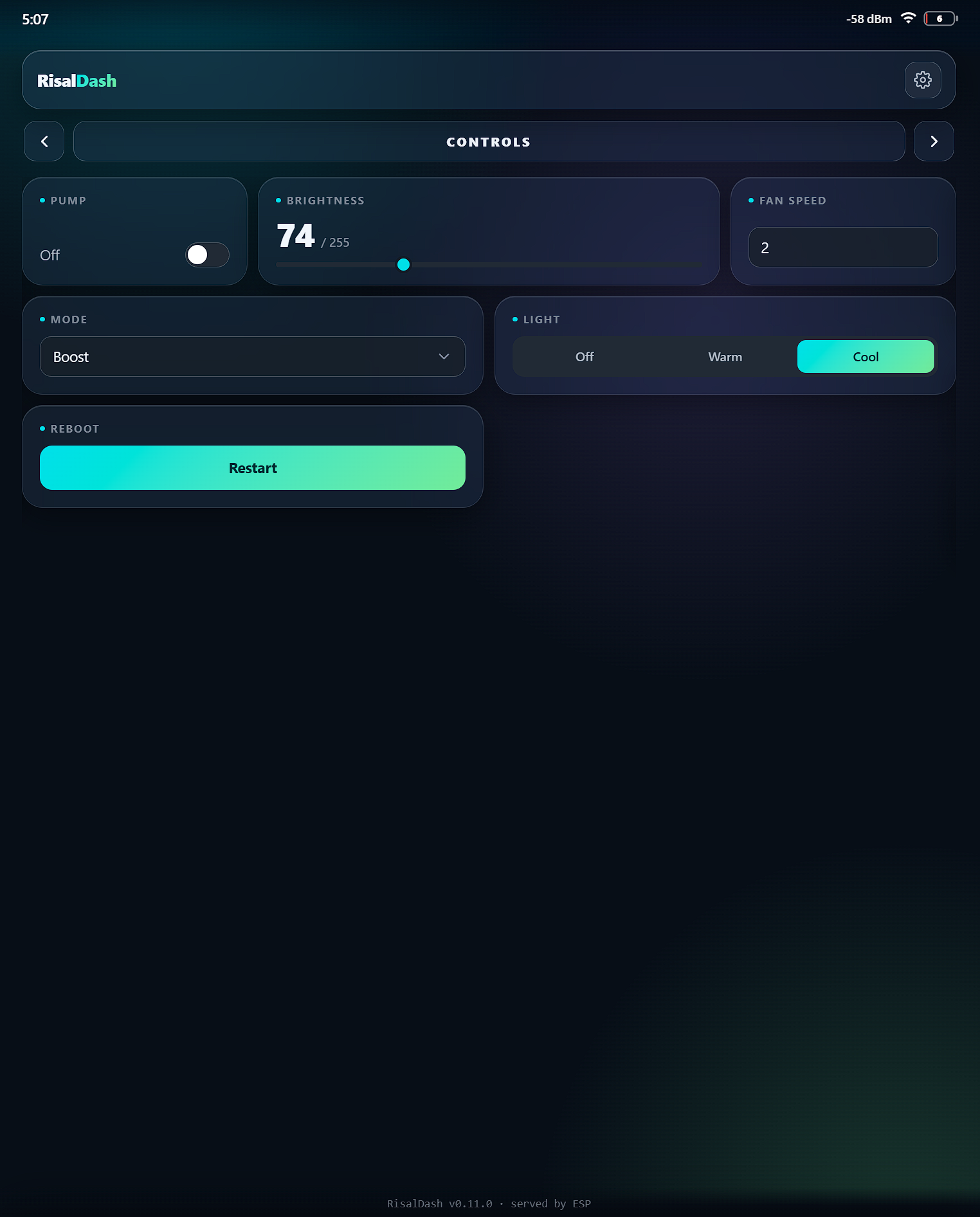
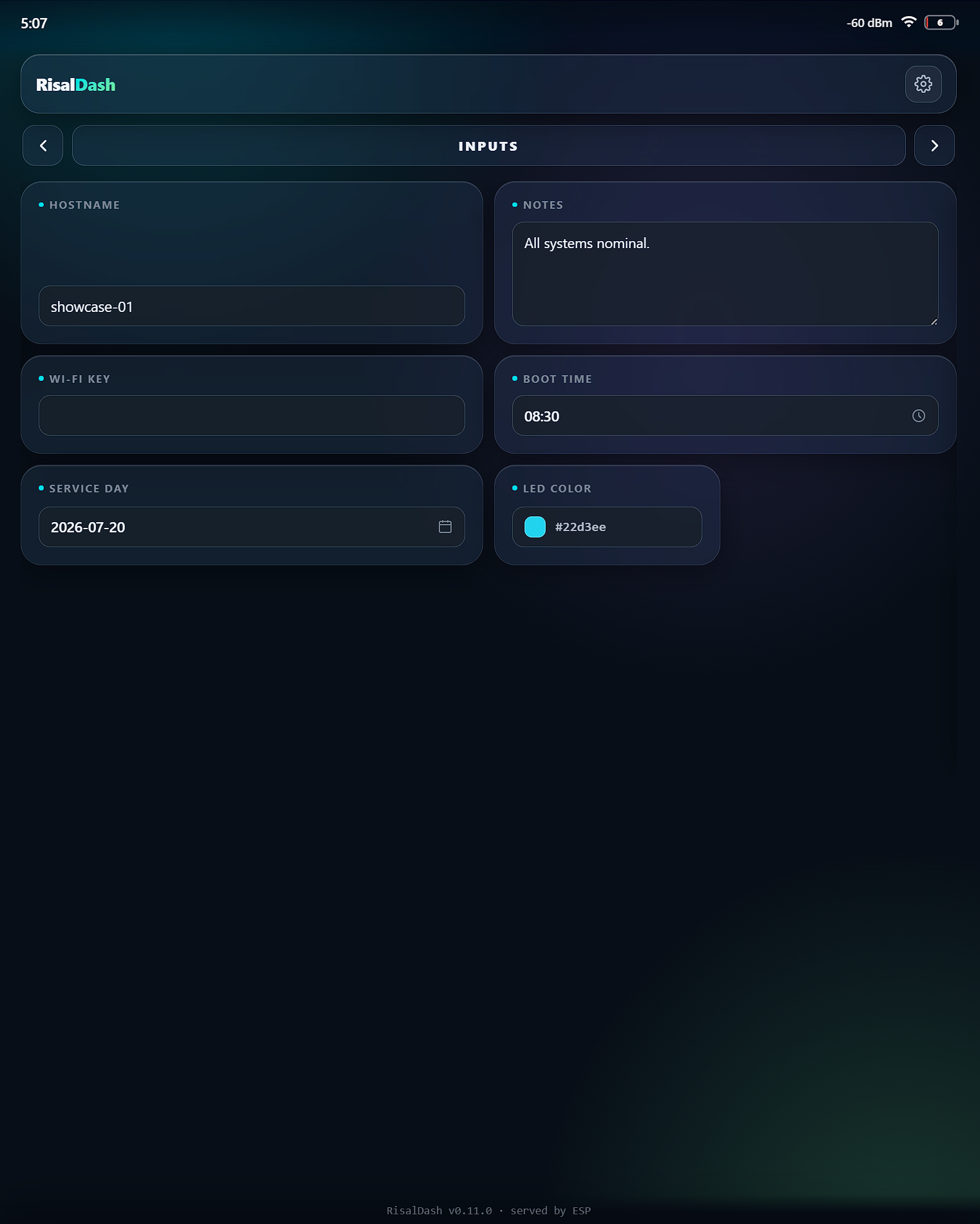
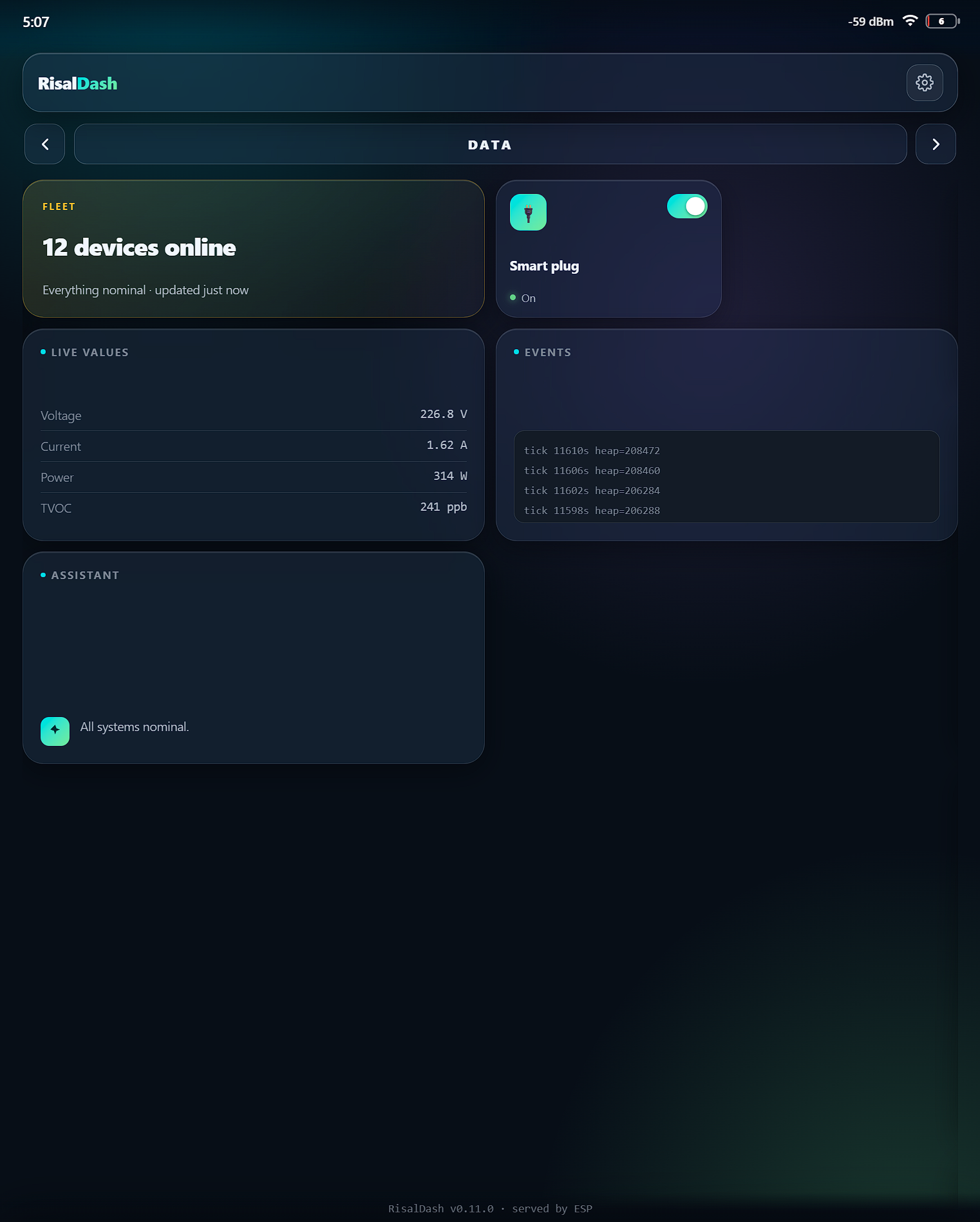
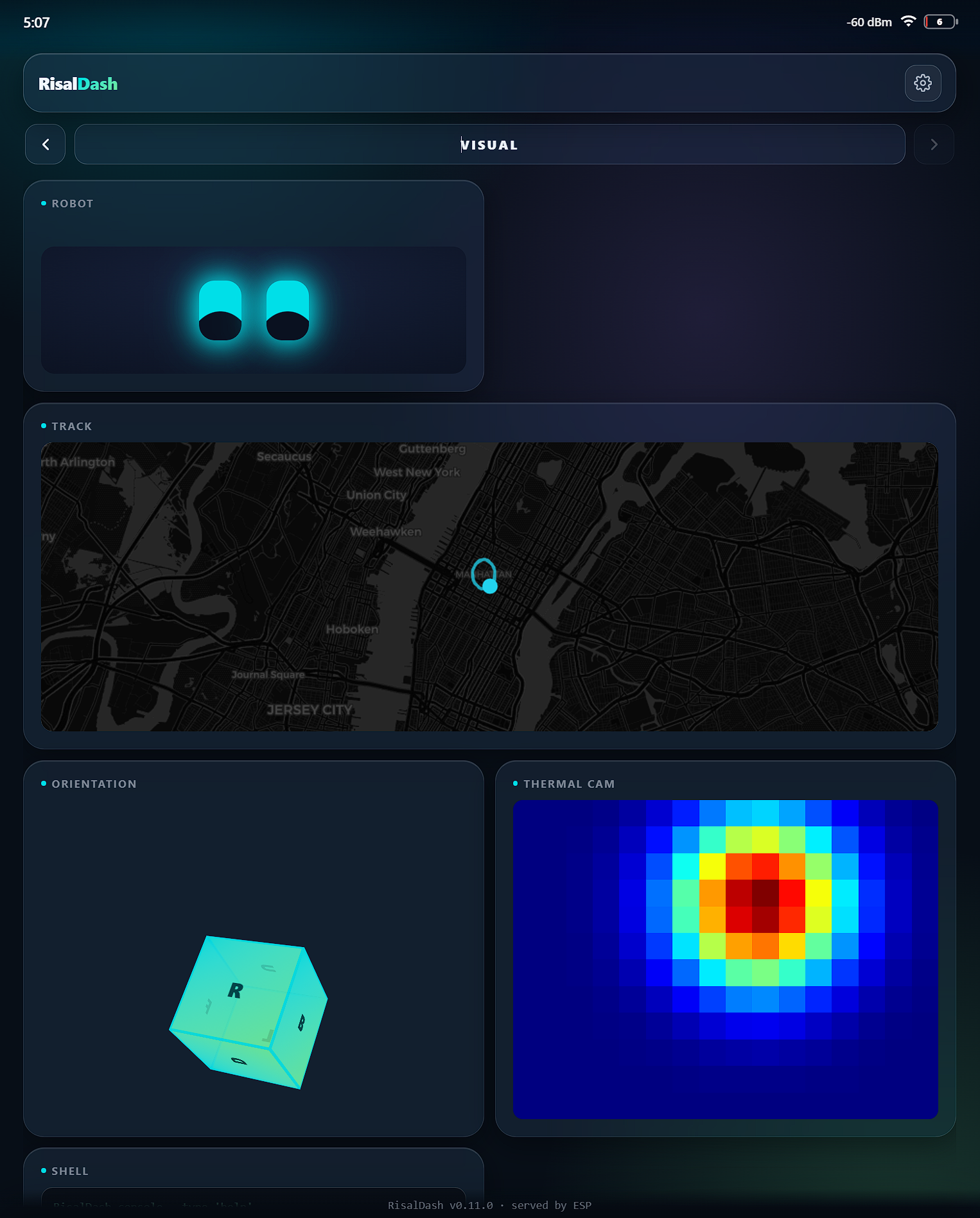
The Showcase example puts the entire widget set on six swipeable pages, all animating at once:
metric · gauge · chart · stat · progress · badge · led · label · toggle · slider · number · select · radio · button · text · textarea · password · time · date · color · table · log · terminal · summary · device card · AI · robot face · Leaflet map · 3D cube · thermal heatmap · image
Readouts (metric, gauge, chart, stat, progress, badge, LED), controls and HTML form inputs
(toggle, slider, select, radio, color, date, time, password…), data cards (table, log, terminal,
summary, AI) and the rich visuals — a robot face, a Leaflet map, a 3D orientation cube and a
thermal heatmap — each a single dash.* call, live over WebSocket.
Six swipeable pages
Swipe left/right between them — this is real output on an ESP32, every value fake:
Runs on both — ESP32 and ESP8266
The full set builds on both chips (about 58% RAM / 42% flash on an ESP8266 Wemos D1 mini, and
lighter on an ESP32). Bump RISAL_MAX_WIDGETS to 96 in the sketch and the whole
kitchen sink fits — no trimming. Everything is served by the ESP itself; nothing hits a cloud.
The full Showcase sketch — ESP32 & ESP8266, no hardware.