
Guide · ESP32-CAM · Camera
Getting good photos out of the ESP32-CAM
The ESP32-CAM pairs an ESP32 with a 2 MP OV2640 camera for a few dollars — but a bad config gives you huge, blurry, slow-to-send images. Three settings decide it all: the pixel format, the JPEG quality, and the framesize. Here’s what each does and the values that just work for Telegram, Google Drive and a web dashboard.
1. Pixel format — use JPEG
The OV2640 can output raw formats, but on a memory-starved ESP32 that’s a trap. A raw RGB565 or YUV422 frame is uncompressed — an 800×600 image is nearly a megabyte and won’t fit comfortably or send quickly. JPEG compresses it in hardware to a fraction of the size, so it’s the only sensible choice for anything you’ll store or send over Wi-Fi.
| Format | Compression | File size | Use it for |
|---|---|---|---|
| JPEG | high (in hardware) | small | Telegram, Drive, web — almost everything |
| RGB565 | none (raw) | large | on-device image processing / a display |
| YUV422 | none (raw) | large | colour processing, conversion |
| Grayscale | low | medium | simple vision / face detection |
In code it’s one line: config.pixel_format = PIXFORMAT_JPEG;
2. JPEG quality — the 0–63 dial
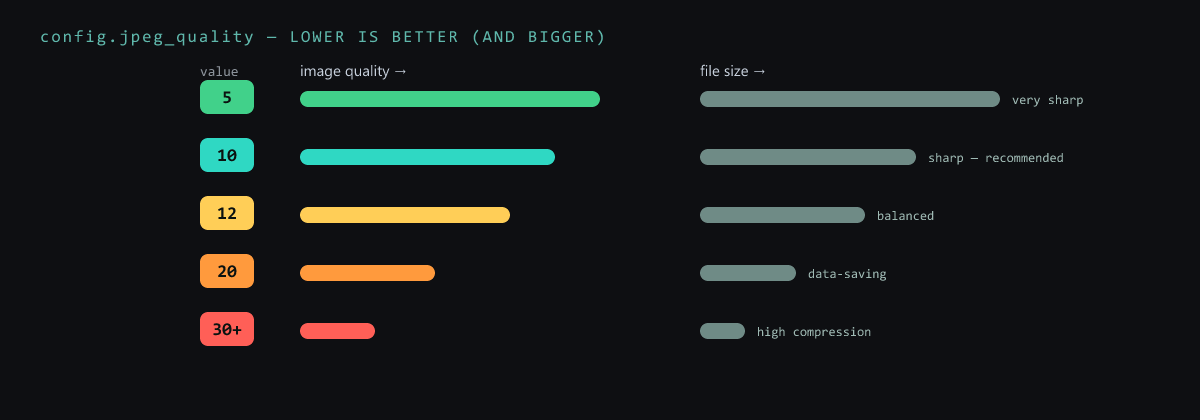
Confusingly, jpeg_quality is really a compression number: lower means better
quality and a bigger file, higher means more compression, smaller and blurrier. It runs 0–63.
| Value | Quality | Notes |
|---|---|---|
| 5 | very sharp ★★★★★ | great detail, big file |
| 10 | sharp ★★★★ | good quality, still fairly big — recommended |
| 12 | balanced ★★★ | balanced quality, medium size |
| 20 | data-saving ★★ | quality drops, small file |
| 30+ | heavy ★ | low quality, tiny file |
Sweet spot: quality 10–12 — good-looking and a sensible size. (Note: on many boards very low numbers like 0–4 need PSRAM, or the capture fails.)
3. Framesize — the resolution
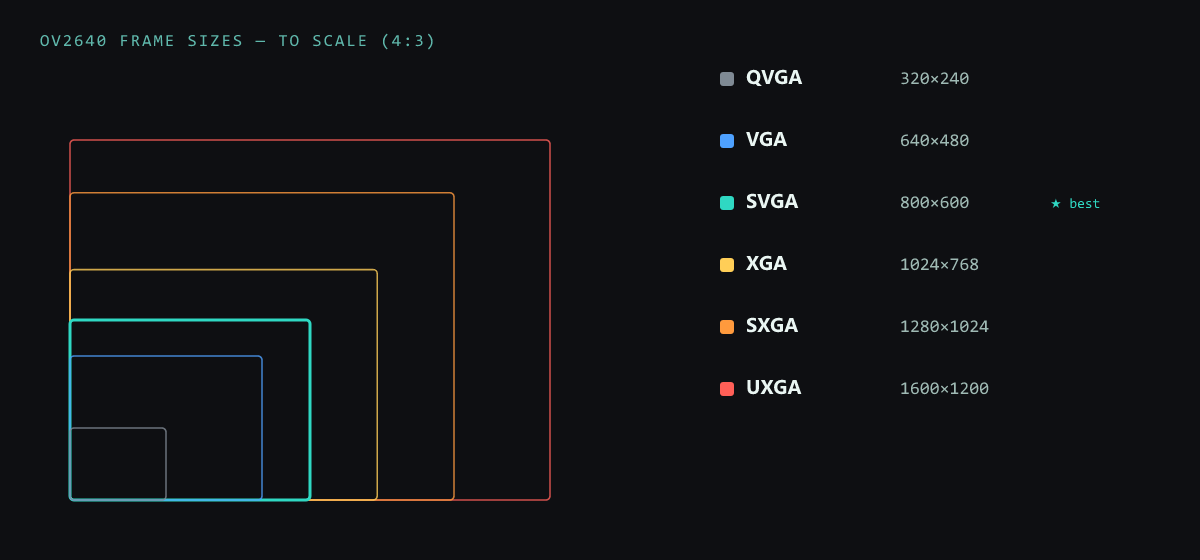
The OV2640 tops out at 1600×1200 (UXGA, 2 MP), but bigger isn’t always better: every step up multiplies the file size and the time to send. Pick the smallest resolution that still shows what you need.
| Mode | Resolution | Pixels | Good for |
|---|---|---|---|
| QQVGA | 160×120 | 19 200 | tiny, bandwidth-saving |
| QVGA | 320×240 | 76 800 | light monitoring |
| CIF | 400×296 | 118 400 | balanced |
| VGA | 640×480 | 307 200 | standard realtime monitoring |
| SVGA ★ | 800×600 | 480 000 | the pick for Telegram & Drive |
| XGA | 1024×768 | 786 432 | more detail |
| SXGA | 1280×1024 | 1 310 720 | detailed photos |
| UXGA | 1600×1200 | 1 920 000 | max resolution (2 MP) |
The config that just works
Put it together and you get a small, sharp, fast-to-send image — the everyday ESP32-CAM setup:
#include "esp_camera.h"

camera_config_t config;
// ... pin config for your ESP32-CAM board ...
config.pixel_format = PIXFORMAT_JPEG;    // compressed → small & fast to send
config.frame_size   = FRAMESIZE_SVGA;    // 800×600 — the IoT sweet spot
config.jpeg_quality = 10;                // 0..63, lower = better (and bigger)
config.fb_count     = 1;                 // one frame buffer — saves RAM

esp_camera_init(&config);
Then tune to the job: detailed photos → UXGA + quality 10; Telegram / Google Drive → SVGA + quality 10 (the best all-rounder); fast monitoring → VGA + quality 12. Bigger resolution means more detail but a bigger file and longer send — and remember the OV2640 needs an ESP32 with PSRAM to buffer the larger frames.
Want to show the feed live? Serve it from the board in a web dashboard.