
Project · Energy · Monitoring
See every watt your house is burning
The electricity bill tells you what you used; a live meter tells you when and on what. A PZEM-004T V3 with its 100 A CT clamp measures the whole house — voltage, current, power, accumulated kWh — and an ESP32 turns that into a dashboard with a running cost counter you check from the couch. No cloud, no subscription, your data stays home.
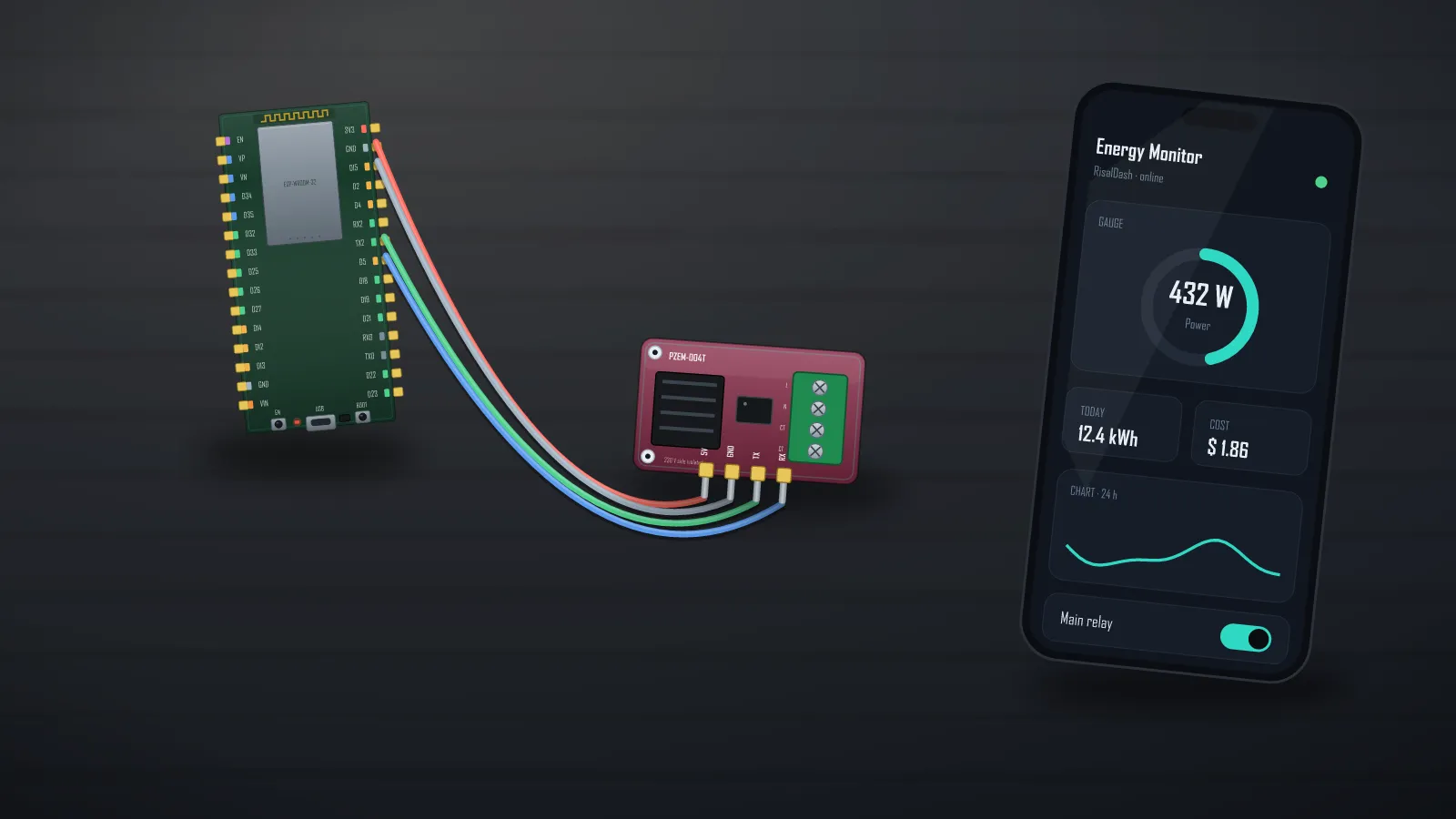
How the measuring works
The PZEM-004T is a complete metering front-end: it samples mains voltage directly and current through the split-core CT clamp (clip it around the live wire — no rewiring), does the true-power maths on board, and hands the ESP clean numbers over UART. Your microcontroller never touches a dangerous analog signal — it just asks for V, A, W, kWh.
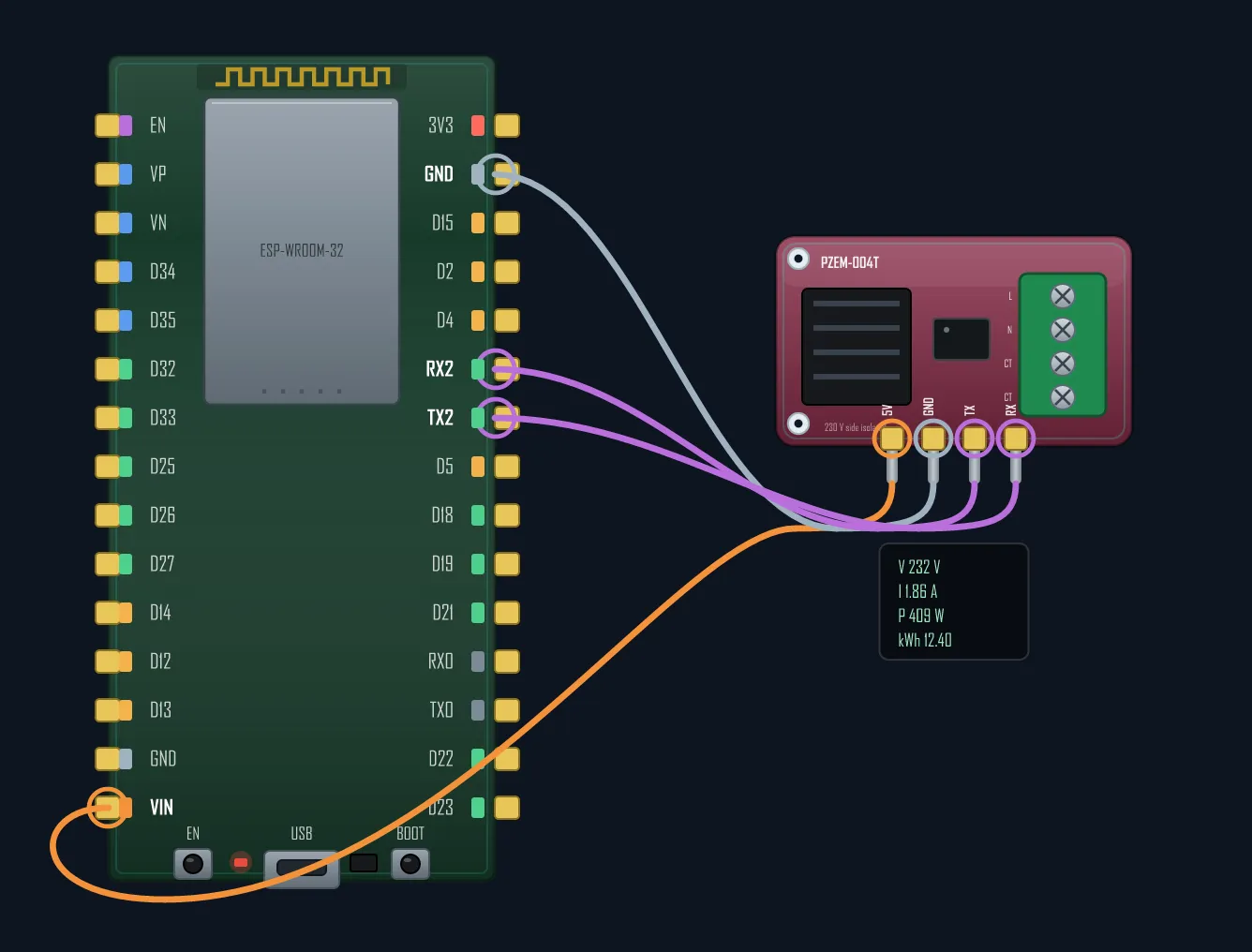
⚠ The mains-side rules
The measuring side of the PZEM connects to live AC — treat it with respect: everything lives in a closed junction box, the AC input goes through a 1 A fuse, all grounds are common, and the CT clamp's arrow (S1→S2) points with the current flow. Kill the breaker before touching anything on that side. If mains work isn't your thing, an electrician wires the box in ten minutes — the fun part is all on the low-voltage side.
The dashboard — tariff in, cost out
The pzem004t preset expands into the right widgets on its own; a number
widget holds your tariff, and cost is one multiplication. The sketch below runs with no
mains at all — RisalFakePower cycles a realistic household load so you can
build and demo the whole meter on your desk:
#include <RisalUI.h>
#include <RisalFake.h> // fake household load — test with no mains at all
RisalUI dash("Energy");
RisalFakePower meter;
float volts = 230, amps = 0, watts = 0, kwh = 0, pf = 0.9f, freq = 50, cost = 0;
int tariff = 12; // cents per kWh — tune it live
void setup() {
dash.layout("Live", RICON_FLASH);
dash.sensor("pzem004t", &volts, &s, &watts, &kwh); // V gauge · A · W chart · kWh
dash.metric("Power factor", &pf);
dash.stat("Cost", &cost, "$").decimals(2);
dash.number("Tariff c/kWh", &tariff, 1, 100, 1);
dash.beginAP("RisalDash-Power", "12345678");
}
void loop() {
dash.update();
meter.update(); // appliances switch on/off, kWh accumulates
volts = meter.voltage(); amps = meter.current(); watts = meter.power();
kwh = meter.energy(); pf = meter.powerFactor();
cost = kwh * tariff / 100.0f;
}When the box is wired, swap the fake for the real reader — same variables, dashboard unchanged:
// The real reader — PZEM-004T V3 on Serial2 (library: mandulaj/PZEM-004T-v30).
#include <PZEM004Tv30.h>
PZEM004Tv30 pzem(Serial2, 16, 17);   // RX2, TX2

float v = pzem.voltage();
if (!isnan(v)) {                     // NaN = no reading — keep the last good value
  volts = v;
  amps  = pzem.current();
  watts = pzem.power();
  kwh   = pzem.energy();
  pf    = pzem.pf();
}
Both halves ship as library examples: examples/04_Templates/PowerMeter (the meter) and EnergyMonitor (kWh + cost + breaker toggle). Publish to MQTT and it lands in Home Assistant's energy panel automatically.
Bill of materials
| Part | Role | ~Cost |
|---|---|---|
| ESP32 (or ESP8266) | brain + Wi-Fi + dashboard | $3–5 |
| PZEM-004T V3 + 100 A CT | the actual meter | $8–12 |
| HLK-PM01 (AC→5 V) | powers the ESP from the same box | $2–3 |
| Fuse 1 A + holder | input protection | $1 |
| Junction box + glands | keeps fingers out of the mains | $3–5 |
| LCD 16x2 I²C (optional) | local readout on the box | $2 |
Under $25 total — the commercial equivalents with an app start at several times that, and phone apps aside, this one's dashboard is served by the chip itself.
Build and tune the whole meter on a fake load — wire the box when it's ready.