
Guide · MQTT · IoT
MQTT on ESP32, from zero to Home Assistant
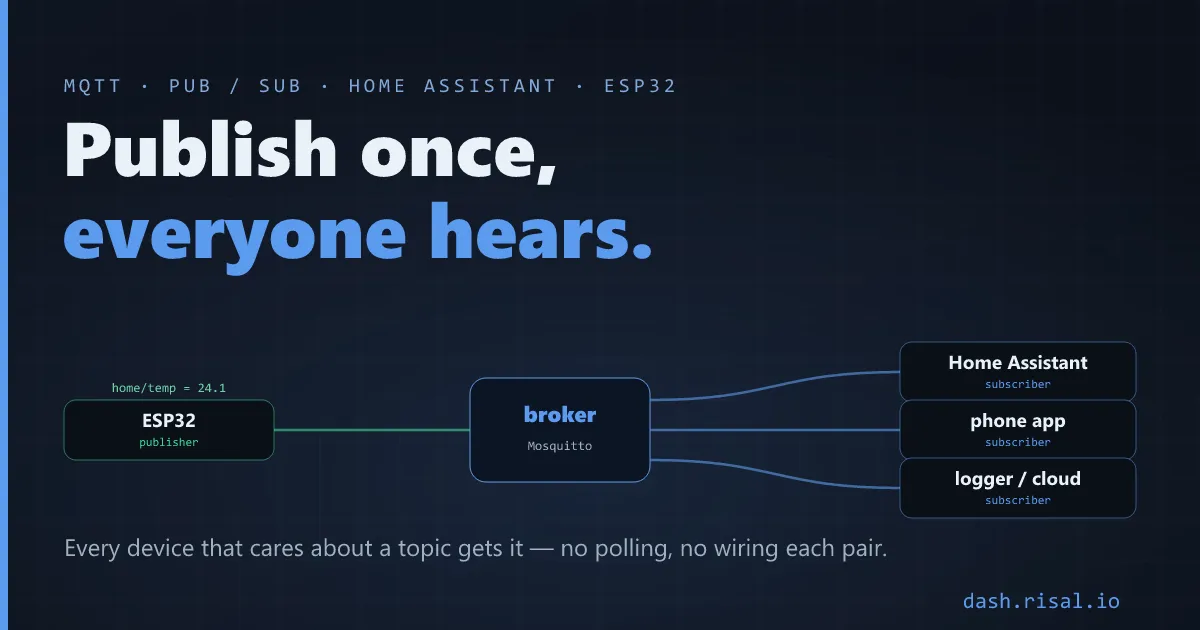
When one sensor needs to reach three apps at once, wiring each pair by hand falls apart fast. MQTT flips it: a device publishes to a topic, and everything that cares subscribes — with a broker in the middle. Here’s why it fits IoT, the three words you actually need (topic, QoS, retain), and the ESP32 code to talk to Home Assistant.
Why MQTT beats HTTP polling
With plain HTTP, a dashboard asks the device “any news?” on a timer — wasteful, laggy, and it doesn’t scale past a couple of clients. MQTT inverts the flow: the device pushes a value the instant it changes, and the broker fans it out to every subscriber. It’s built for many small messages over flaky, low-power links — exactly IoT. If you’re choosing a transport at all, see Wi-Fi vs the rest first; MQTT rides on top of Wi-Fi here.
Topics, QoS and retain — in plain words
A topic is just a path like home/livingroom/temp; publishers and subscribers
rendezvous on it (subscribe with wildcards: home/+/temp). QoS is the delivery
guarantee, and retain tells the broker to keep the last value so a new subscriber gets it
immediately instead of waiting for the next update.
| Concept | What it means | Use it for |
|---|---|---|
| QoS 0 | at most once (fire & forget) | frequent sensor readings |
| QoS 1 | at least once (may duplicate) | commands, state changes |
| QoS 2 | exactly once (slowest) | rarely — critical, one-shot |
| Retain | broker keeps the last message | current state on connect |
| Last Will | broker posts if you drop off | “offline” detection |
A broker in five minutes
MQTT needs a broker in the middle — the post office. The default is
Mosquitto: install it on a Raspberry Pi, a NAS, or the same box as Home Assistant (which
ships it as a one-click add-on), and you’re done. A hosted broker (HiveMQ, EMQX Cloud) works too if you want
nothing local. Point every device at the broker’s IP and port 1883 and they find each other.
The ESP32 side: PubSubClient
On the device, the PubSubClient library is the classic choice. The shape is always the same — connect, subscribe to what you control, publish what you sense, and reconnect when Wi-Fi blips:
connect:    client.connect("esp32-kitchen")        // to the broker
subscribe:  client.subscribe("home/relay/set")     // broker pushes commands here
publish:    client.publish("home/temp", "24.1")    // fire it; subscribers get it
callback:   on message  →  switch the relay        // react without polling
Keep a small reconnect loop in loop() so a dropped link heals itself, and publish sensor
values only when they actually change to keep the traffic (and power) low — the same discipline as
deep sleep if you’re on a battery.
Home Assistant, without hand-configuring
The magic trick is MQTT discovery: publish one small JSON to a special
homeassistant/…/config topic (retained), and Home Assistant creates the entity by
itself — no YAML editing, the sensor or switch just appears. Publish your readings to the state
topic and control comes back on the command topic. From there it’s dashboards, automations and voice, all
for free. Prefer no code at all? ESPHome does MQTT/discovery
from YAML.
Want the device to serve its own UI too? A full dashboard from a few lines of C++.