
Guide · ESP32 · Tips
5 things your ESP32 already does
Most people use an ESP32 like a small Arduino with Wi-Fi and never touch the rest. But five powerful features are already built into the chip — no extra hardware, no libraries to hunt down. Here’s what each one is, why it’s worth using, and a copy-paste code example for all five.
1. ESP-NOW — talk to another ESP32 without a router
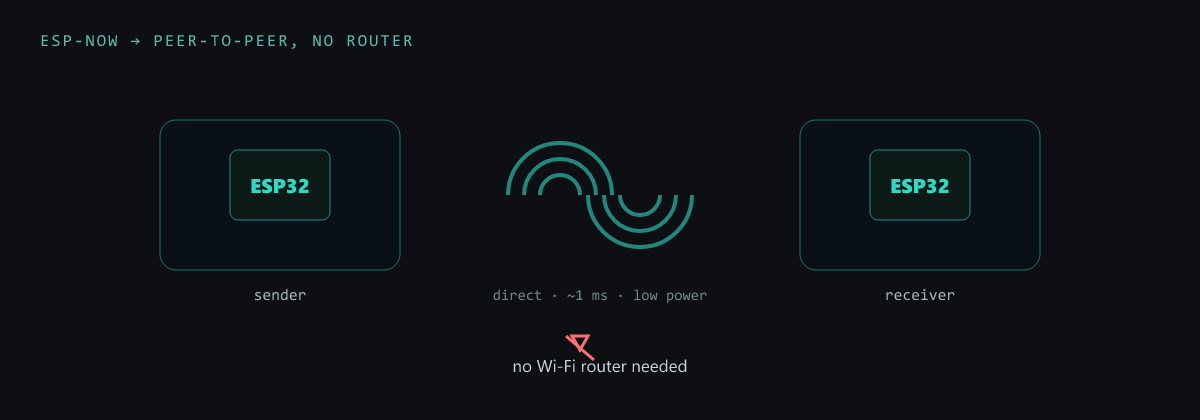
ESP-NOW lets two (or many) ESP boards exchange small packets directly, with no Wi-Fi router and no internet — just their MAC addresses. It’s fast (~1 ms), low-power, and perfect for remotes, sensor nodes and robot-to-robot links. It rides on the Wi-Fi radio but skips the whole TCP/IP stack; see where it sits next to Wi-Fi and BLE in the protocols guide.
#include <esp_now.h>
#include <WiFi.h>

uint8_t peer[] = {0x24, 0x6F, 0x28, 0xAA, 0xBB, 0xCC};  // receiver's MAC
typedef struct { int id; float temp; } Msg;
Msg data;

void setup() {
  WiFi.mode(WIFI_STA);
  esp_now_init();
  esp_now_peer_info_t p = {};
  memcpy(p.peer_addr, peer, 6);
  esp_now_add_peer(&p);
}

void loop() {
  data.id = 1; data.temp = 24.5;
  esp_now_send(peer, (uint8_t *)&data, sizeof(data));  // no router, ~1 ms
  delay(2000);
}
2. Capacitive touch — any pad becomes a button
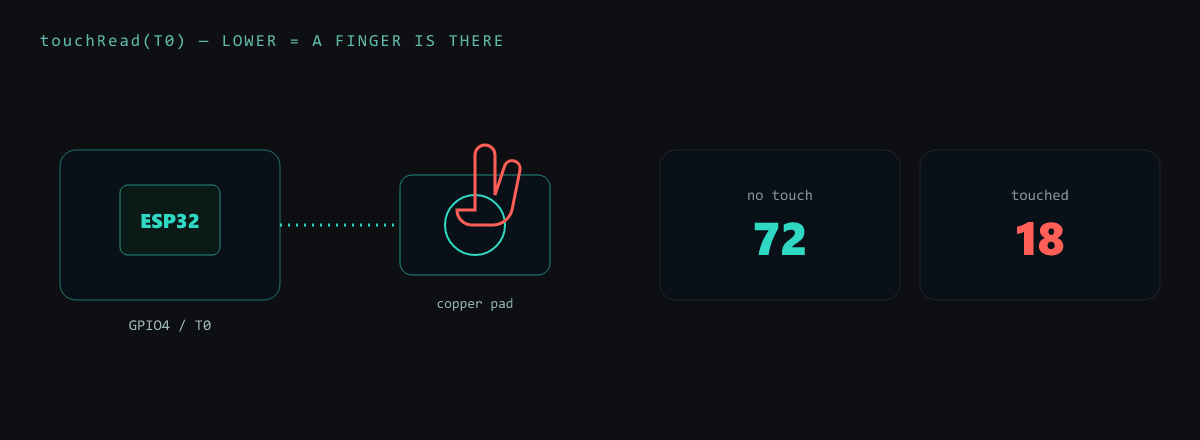
The classic ESP32 has 10 touch-capable GPIOs. Wire a pin to a pad of copper, foil, or a
screw head and touchRead() returns a number that drops when a finger is near — no
button, no extra chip. Great for sleek panels, hidden controls and wake-on-touch. (Note: the S2/S3 use a
slightly different touch API; the plain ESP32 uses touchRead(T0..T9).)
void setup() {
  Serial.begin(115200);
}

void loop() {
  int v = touchRead(T0);            // T0 is GPIO4 on the classic ESP32
  if (v < 40) Serial.println("touched!");   // lower = a finger is there
  delay(100);
}
3. Deep sleep — run for months on a battery
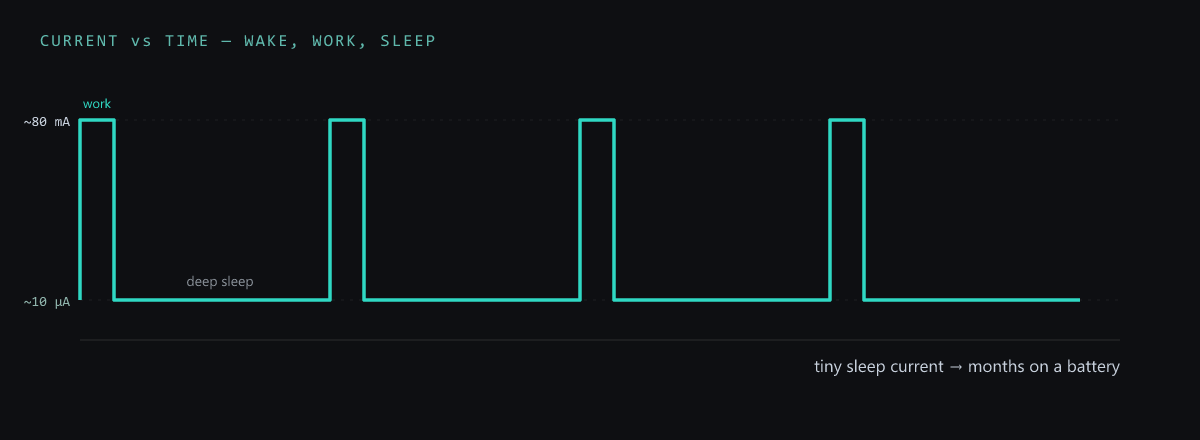
Between bursts of work, an ESP32 can drop to deep sleep at ~10 µA and wake on a timer or a
pin. That’s the difference between a battery node lasting a day and lasting a year. The catch: on wake the
chip reboots and setup() runs again, so you save state in RTC memory. Full details in the
deep sleep guide.
#define uS_PER_S 1000000ULL

void setup() {
  Serial.begin(115200);
  Serial.println("awake — do the work, then sleep");
  // ... read a sensor, send it ...
  esp_sleep_enable_timer_wakeup(10 * uS_PER_S);  // wake in 10 seconds
  esp_deep_sleep_start();                        // ~10 µA until then
}

void loop() {}   // never runs — setup() runs again on each wake
4. OTA — update firmware over the air
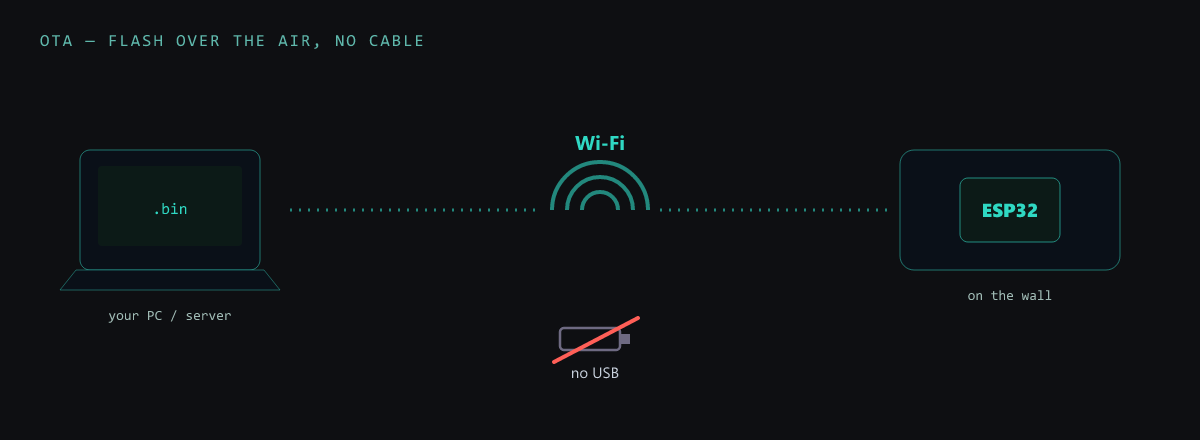
Once a board is on the wall you don’t want to unplug it to reflash. OTA pushes new
firmware over Wi-Fi: add a few lines and a network port appears in the Arduino IDE. It’s a must for
deployed devices — and if you want it truly one-line, a RisalDash dashboard exposes
an “Update firmware” button with dash.enableOTA().
#include <WiFi.h>
#include <ArduinoOTA.h>

void setup() {
  WiFi.begin("your-ssid", "your-pass");
  while (WiFi.status() != WL_CONNECTED) delay(300);
  ArduinoOTA.begin();          // the board is now flashable over Wi-Fi
}

void loop() {
  ArduinoOTA.handle();         // pick the network port in the IDE
}
5. PWM on (almost) any pin — brightness, speed, servos
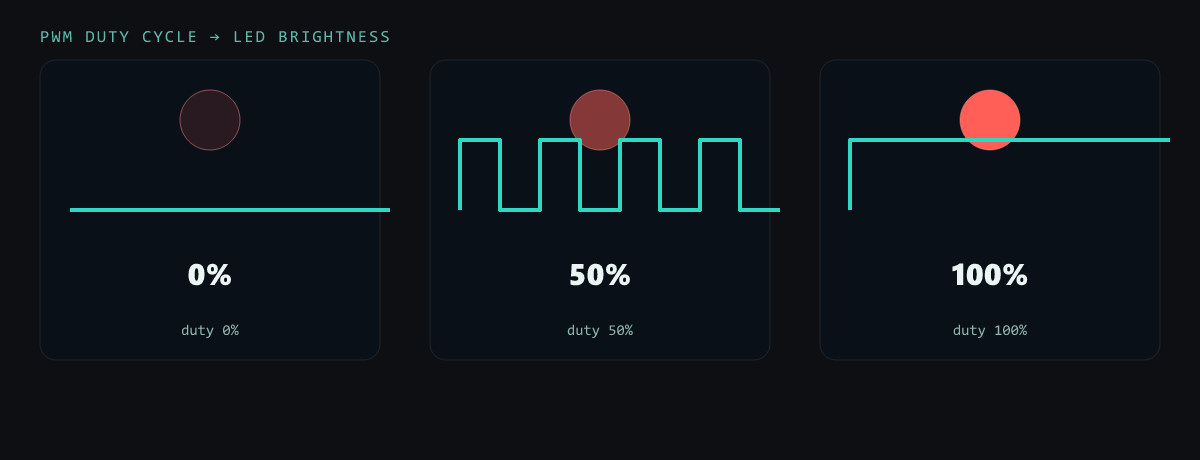
The ESP32’s LEDC peripheral generates hardware PWM on almost any GPIO — dim an LED, set a
motor’s speed, or position a servo, all without blocking the CPU. You pick a pin, a frequency and a
resolution, then just write a duty value. On Arduino-ESP32 core 3.x it’s the tidy ledcAttach()
API below (older 2.x used ledcSetup() + ledcAttachPin()).
void setup() {
  ledcAttach(18, 5000, 8);     // pin 18, 5 kHz, 8-bit (0..255)  [core 3.x]
}

void loop() {
  for (int d = 0; d <= 255; d++) { ledcWrite(18, d); delay(4); }  // fade up
  for (int d = 255; d >= 0; d--) { ledcWrite(18, d); delay(4); }  // fade down
}
Put them together
None of these need a shield or a shopping list — they’re silicon you already own. A battery sensor that touch-wakes, reads, fires the value over ESP-NOW, and drops back to deep sleep — updated in the field by OTA, with a PWM status LED — is five “hidden” features and zero extra parts. That’s the point: your ESP32 can do far more than blink.
Want a UI on top? A full live dashboard — with OTA built in — in a few lines of C++.