
Guide · Memory · Storage
Flash, SRAM, NVS — where your data actually lives
Three questions trip up every ESP beginner: why do my settings vanish on reboot? why do variables reset? why am I out of RAM? All three come down to one thing — knowing which memory holds what. Here’s the map, and how to store config the right way.
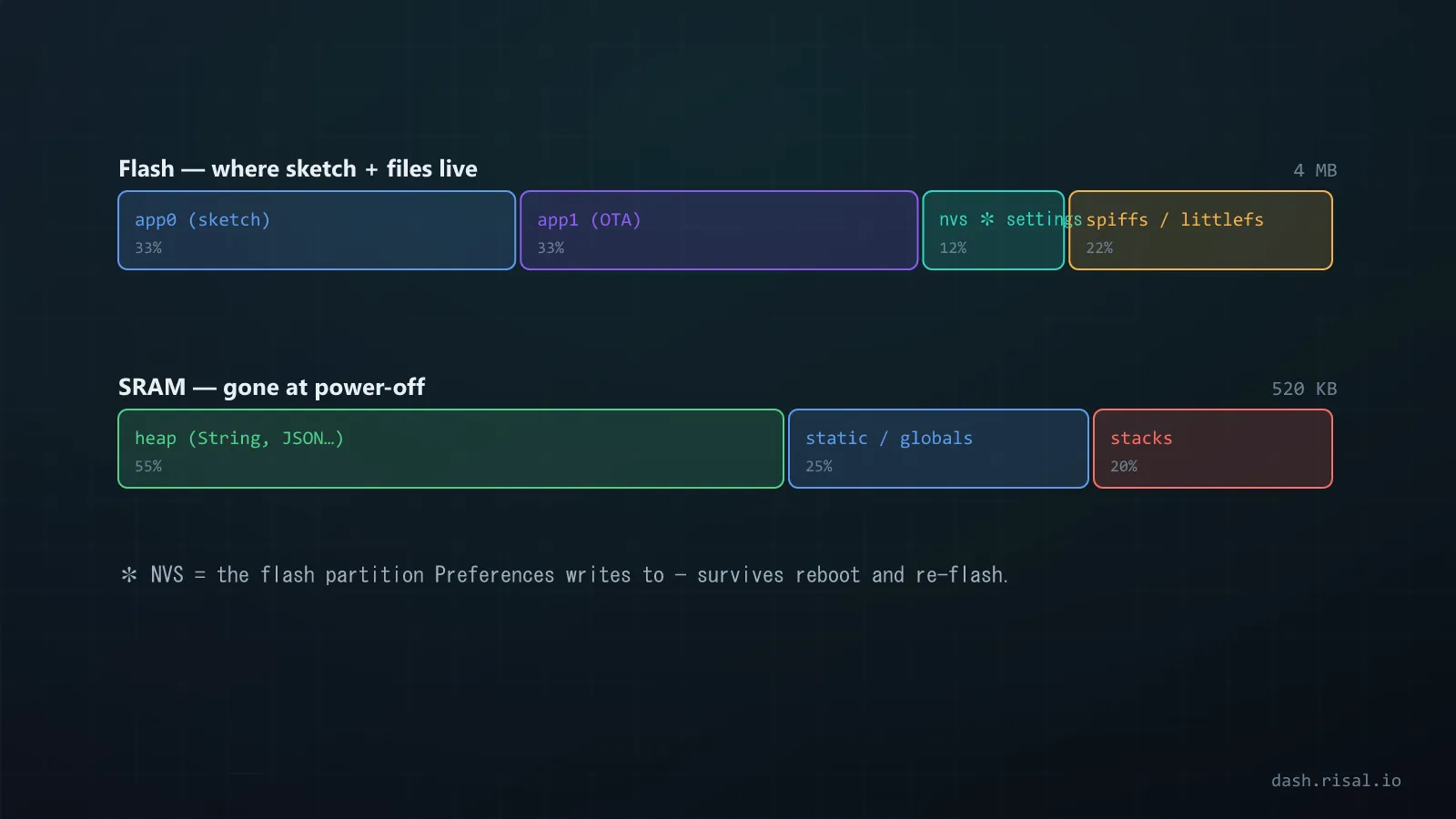
The memory types
- Flash — non-volatile. Holds your program, and can store data that survives power loss. Big (MBs) but slow to write and limited to ~100k erase cycles per sector.
- SRAM — fast, volatile working memory for variables, heap and stack. ~320 KB on an ESP32, ~80 KB on an ESP8266. Wiped on every reboot — this is why variables reset.
- RTC RAM — a tiny slice that survives deep
sleep (via
RTC_DATA_ATTR). Still lost on a full power cycle. - EEPROM — the old Arduino way to persist small data. On an ESP there’s no real
EEPROM;
EEPROM.hjust emulates it in flash. - NVS (Preferences) — the modern, proper way to store key-value config in flash on ESP32/ESP8266: named, typed, wear-levelled.
Why your settings vanish
Variables live in SRAM, which is volatile — power off, and it’s gone. To keep a Wi-Fi password, a calibration value or a user setting across reboots, you must write it to non-volatile storage: NVS or flash.
Save config the right way — Preferences (NVS)
Forget EEPROM.h on ESP. Use the Preferences library — it writes named,
typed values into NVS and handles wear-levelling for you:
#include <Preferences.h>
Preferences prefs;

void saveConfig(const char* ssid, int interval) {
  prefs.begin("cfg", false);          // namespace "cfg", read/write
  prefs.putString("ssid", ssid);
  prefs.putInt("interval", interval);
  prefs.end();
}

void loadConfig() {
  prefs.begin("cfg", true);           // read-only
  String ssid   = prefs.getString("ssid", "");     // default if unset
  int    every  = prefs.getInt("interval", 60);
  prefs.end();
}
Call loadConfig() in setup() and your settings are there after every reboot,
with sensible defaults the first time. This is exactly how libraries store Wi-Fi credentials.
EEPROM vs Preferences
On classic Arduino, EEPROM is real hardware. On an ESP it isn’t — EEPROM.h emulates a
block in flash, byte-addressed and easy to corrupt. Preferences (NVS) gives you named
keys, types, and wear-levelling instead of raw byte offsets. Use it for anything new.
Running out of RAM
SRAM is small, and it’s easy to exhaust or fragment:
- Keep constants in flash — wrap string literals in
F("...")(or usePROGMEM) so they don’t eat SRAM. - Avoid String churn — repeated
String +concatenation fragments the heap; prefer fixedcharbuffers or reserve capacity. - Watch the heap — print
ESP.getFreeHeap(); a steady decline means a leak. - Big buffers? An ESP32-S3 with PSRAM gives you megabytes for camera frames and displays — see the chip guide.
What goes where — the cheat sheet
- Program code → flash
- Variables, heap, stack → SRAM (volatile)
- Config & credentials → NVS / Preferences
- Survives deep sleep → RTC RAM
- Big constants / assets → flash (PROGMEM) or PSRAM
Once you know which memory is volatile and which isn’t, the mysteries evaporate: settings persist, variables behave, and RAM stops running out.
Need a value to survive deep sleep, not just reboots? That’s RTC memory.