
Project · Smart city · Monitoring
A smart trash bin that calls the truck
A garbage truck that visits half-empty bins burns fuel; a bin that overflows makes a mess. The fix is a $2 ultrasonic sensor on the lid and an ESP32: measure how full each bin is, show every site on one dashboard, and raise an alert the moment a bin needs a pickup. Here's the whole build — and you can run it with no hardware at all first.
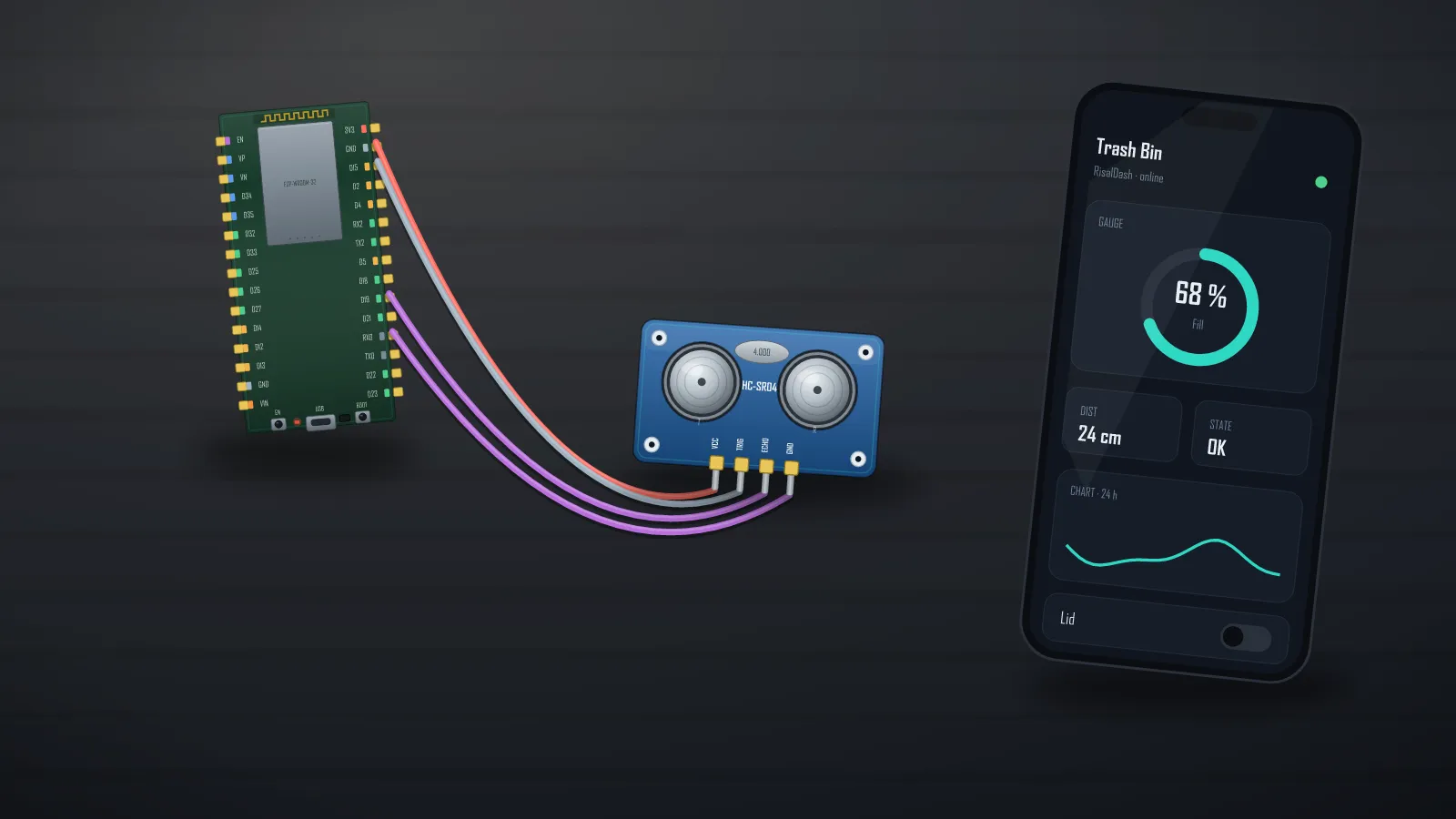
How the sensing works — a tank gauge, inverted
An HC-SR04 under the lid pings straight down and reports the air gap to the garbage. A short echo means a full bin — water-tank gauge logic, inverted. One line converts the echo to what a dispatcher actually wants:
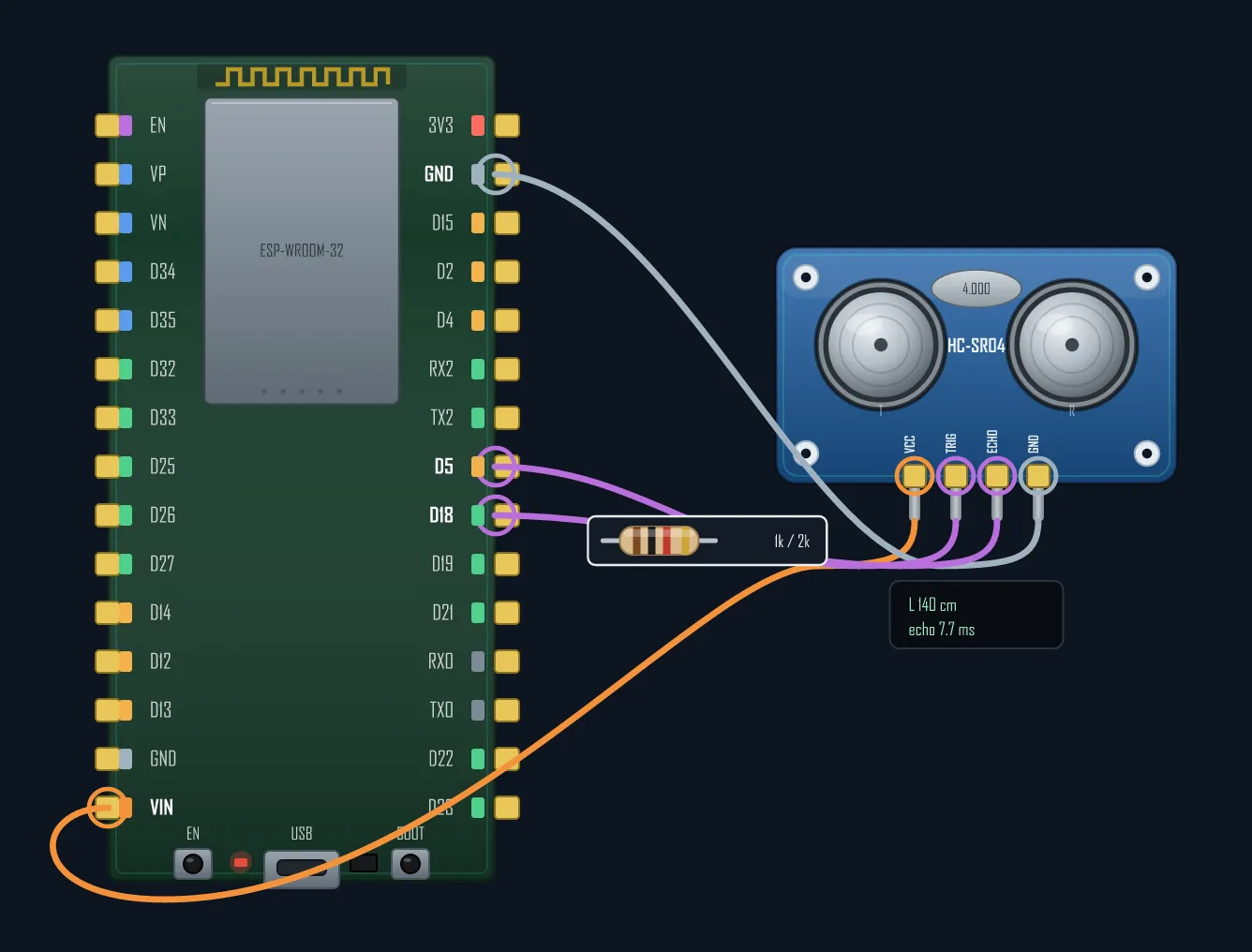
fill = 100.0 * (1.0 - gapCm / BIN_CM); // BIN_CM = empty-bin depthOutdoors, prefer the waterproof JSN-SR04T — same maths, sealed head. Wiring is the standard HC-SR04 hookup (5 V + a divider on ECHO for the 3.3 V pin):
The dashboard — every bin on one screen
The ESP serves the whole UI itself (no cloud, no app): a bar gauge per bin, a three-state status badge (OK / Almost / FULL), an event log that records "Bin B FULL — dispatch pickup", and an LED output you can wire to a real lamp or buzzer. Thresholds: warn above 75 %, alarm above 90 %.
#include <RisalUI.h>
#include <RisalFake.h>                      // test with no hardware; remove when the sensor arrives

RisalUI dash("Trash Bins");

const float BIN_CM = 60;                    // sensor-to-bottom depth of the bin
float fill[3] = {35, 62, 88};               // fill % per bin
int   state[3] = {0, 0, 0};                 // 0 ok · 1 almost full · 2 full
bool  alarmOut = false;
LogWidget* evlog = nullptr;

void setup() {
  dash.layout("Bins", RICON_HOME);
  dash.gauge("Bin A - Park", &fill[0], 0, 100, "%").variant("bar");
  dash.gauge("Bin B - Market", &fill[1], 0, 100, "%").variant("bar");
  dash.gauge("Bin C - School", &fill[2], 0, 100, "%").variant("bar");
  dash.badge("A status", &state[0]).labels("OK", "Almost", "FULL");
  evlog = &dash.log("Events", 6);
  dash.led("Pickup needed", &alarmOut);
  dash.beginAP("RisalDash-Trash", "12345678");
}

void loop() {
  dash.update();
  // real bin: fill = 100.0 * (1.0 - pingCm() / BIN_CM);
  for (int i = 0; i < 3; i++) {
    int s = fill[i] > 90 ? 2 : (fill[i] > 75 ? 1 : 0);
    if (s == 2 && state[i] != 2 && evlog)
      evlog->print(String("Bin ") + char('A' + i) + " FULL - dispatch pickup");
    state[i] = s;
  }
  alarmOut = state[0] == 2 || state[1] == 2 || state[2] == 2;
}
This sketch runs as-is with nothing plugged in — three simulated bins fill at
different rates and get "collected" when full, so you can design thresholds and test the alert flow
tonight, then swap one line for the real pingCm(). That's the
fake-sensor workflow. The full example ships with the library:
examples/04_Templates/TrashBin.
Scaling to a district
One ESP per bin (LoRa or Wi-Fi where available), or one ESP per site watching three bins like the sketch above. Every widget is also an MCP tool — so an AI agent can answer "which bins need a pickup?" straight from the hardware. For a fleet, the same code publishes to MQTT and lands in Home Assistant automatically.
Bill of materials
| Part | Role | ~Cost |
|---|---|---|
| ESP32 DevKit (or ESP8266) | brain + Wi-Fi + dashboard | $3–5 |
| HC-SR04 / JSN-SR04T | fill level | $1–4 |
| LED + buzzer (optional) | on-site "full" indicator | $1 |
| 18650 + TP4056 or 5 V PSU | power | $2–4 |
Design the whole dashboard tonight — the bins can arrive later.