
Guide · AI · ESP32
Give your ESP32 a face that thinks
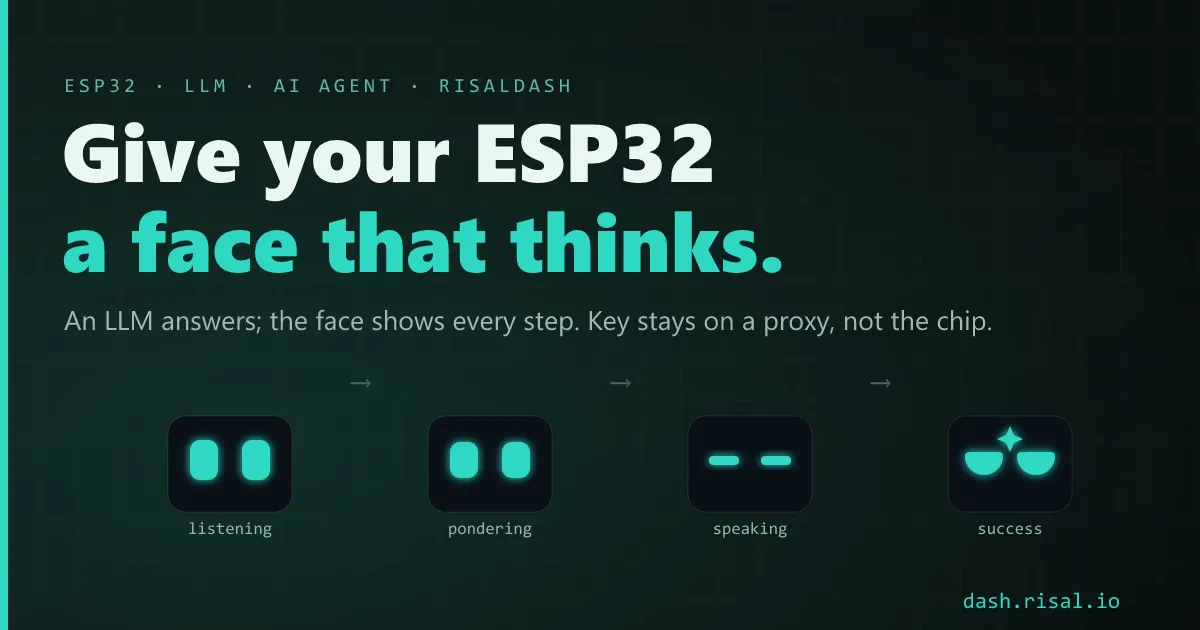
An ESP32 can’t run a large language model — but it makes a perfect front end for one. The chip takes your question, a hosted model does the thinking, and a little robot face reacts the whole way through: listening → pondering → speaking → done. Here’s the architecture, the one security rule that matters, and the pattern that ties it together.
The shape of it: ESP in front, model behind
Don’t try to run the AI on the chip. The winning split is simple: the ESP32 owns the interface — it takes input (a typed message, a button, later a microphone), shows what’s happening, and renders the answer — while a hosted model does the language. In between sits a tiny server you control. A request flows one way and comes back:
you type → ESP32 → your proxy → LLM → reply + a mood → ESP32 faceEverything the user sees and touches lives on the ESP, served as a live web dashboard — so the “agent” has a body long before it has a voice.
The one rule: the API key never touches the ESP
This is the part people get wrong. Never put an LLM API key in firmware. Anyone who
pulls the .bin off the flash can read it — see
where an ESP32 stores things — and a microcontroller can’t safely
pin a vendor’s rotating TLS chain anyway. Instead, stand up a thin proxy (a Cloudflare
Worker, a small Node route) that holds the secret. The ESP calls your URL with a plain message;
the proxy adds the key, calls the model, and returns a small JSON. It’s about fifteen lines, and it also
lets you swap models, add rate limits, or cache — without reflashing a single device.
The face is a state machine
Here’s the trick that makes it feel alive: a network request has states — sending, waiting, got-an-answer, failed — and those map one-to-one onto expressions. You don’t narrate progress with text; the face is the progress bar. Set one bound variable and the served face (and any on-device screen) follows over the WebSocket:
mood = FACE_LISTENING;   // you asked
mood = FACE_PONDERING;   // handed off to the model
reply = askAgent(msg);   // the proxy call
mood = FACE_SPEAKING;    // the answer is here
mood = replyMood;        // settle into the model's own emotion
That last line is the fun one: let the model pick its own mood. Ask it to end its answer with a mood index and the face mirrors the content of the reply, not just the plumbing — pleased, unsure, apologetic. The face has dozens of states to choose from (built and previewed in BoardLab); the agent only needs a handful to feel responsive.
Who does what
| Layer | Runs where | Its job |
|---|---|---|
| Face + UI | on the ESP32 | take input, show state, render the answer |
| Proxy | your server / a Worker | hold the API key, call the model, shape the JSON |
| The model | the cloud | understand, reply, choose a mood |
Keep the boundary clean and each piece stays swappable: change models in the proxy, restyle the face in firmware, and neither one disturbs the other.
Where to take it next
Text in a browser is the simplest front end, but the same pipeline takes a button or a microphone just as well — swap the input, keep the state machine. Pair it with the right radio and a power source and the talking face becomes a real device on a shelf. The full sketch — proxy contract included — ships as the AI-Agent example in the RisalDash repo.
Want the body first? A full live dashboard — face, gauges, controls — in a few lines of C++.
The agent’s face, live
A few of the states this pipeline drives — they animate on their own.